
 English
 中文
中文
 Melayu
1. The telecom network is unstable or under maintenance.
2. The network signal in your current location is weak.
3. Your phone has not refreshed its network connection for a long time.
To receive the OTP code smoothly, try the following:
• Restart your phone to refresh the network connection.
• Turn on Airplane Mode for about 20 seconds, then turn it off and try retrieving the OTP again.
If you still cannot receive the OTP code, please contact our online customer service for further assistance.
Players must claim it manually through the rebate menu **before 7:00 PM (UTC+8:00)** to have it credited into the main wallet.
- For detailed instructions, you may contact customer service for a video guide.
Example:
Total daily turnover: RM 10,000
Game: Huawei55 (Rebate rate: 10%)
Calculation:
RM 10,000 × 10% = RM 1,000
1. Go to Profile → Update Secondary Password.
2. Enter a new secondary password → Click Receive TAC.
3. Complete the change.
Important:
For account security, customer service cannot help change the secondary password.
1. Open our App or mobile web version.
2. Find the game (MEGA888 / PUSSY888 / LIONKING) and click **Start Game**.
Reminder:
If a specific app account and password are required, please contact customer service for assistance.
However, starting from the **third withdrawal**, a **2% handling fee** will be charged.
Withdrawal count resets daily at **12:00 AM (GMT+8:00)**.
• MYR (Malaysian Ringgit)
• SGD (Singapore Dollar)
• BND (Brunei Dollar)
All deposits are converted into MYR for transactions.
For SGD and BND deposits, the system will show the real-time exchange rate for confirmation.
1. Currency mismatch
Deposits and withdrawals must use the **same currency**.
Example: If deposit was in BND, withdrawal must also be to a BND account.
2. Incorrect details
Wrong name or incorrect bank account number may cause rejection.
• Share your referral link for new registrations.
• Send your unique QR code for easy scanning and sign-up.
• Use the MY QR feature to generate a custom promotion banner with your QR code for professional marketing.
BC55 & Bosclub55 FAQ – Your Complete Guide to Bossclub
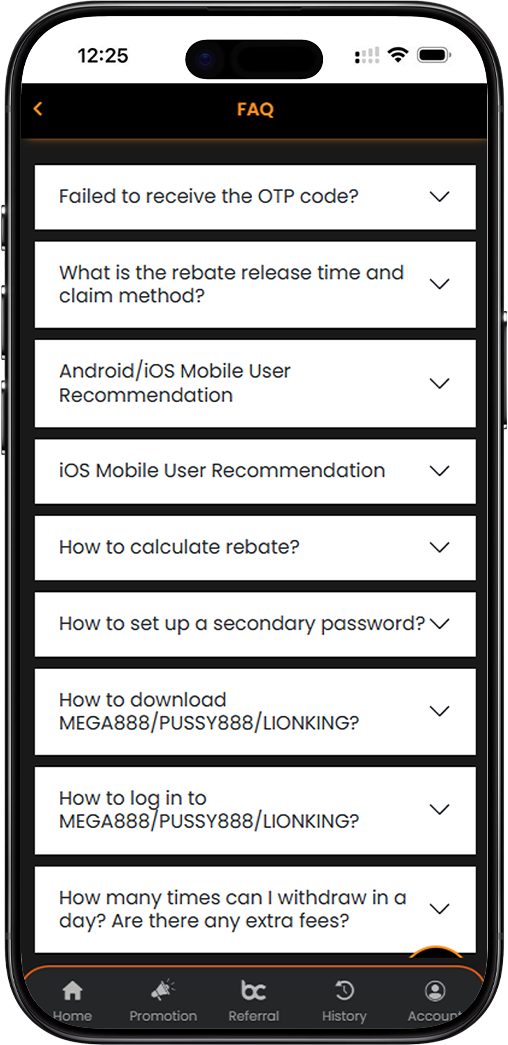
1. OTP Issues – Why You Are Not Receiving the Code and How to Fix It
1.1 Common Reasons for OTP Delivery Failure
BC55 Bosclub55 Bossclub members may occasionally experience delays or failure in receiving OTP codes. The most common causes are telecom network instability or scheduled maintenance, weak network signal at your current location, or your phone not refreshing its network connection for an extended period. These issues are usually temporary and can often be resolved quickly.
1.2 Quick Fixes – Restart and Airplane Mode
To receive your Bosclub55 OTP code smoothly, restart your phone to refresh the network connection and clear temporary carrier cache. You can also turn on Airplane Mode for approximately 20 seconds, then turn it off. This forces your device to reconnect to the nearest cell tower. After either method, wait about 60 seconds and request a new OTP.
1.3 When to Contact Customer Service
If you still cannot receive the OTP code after trying the above solutions, contact our online customer service for further assistance. Our team can verify your registered mobile number and help escalate the issue where necessary.
2. Rebate Calculation & Claim – Daily Schedule and Formula
2.1 Rebate Release Time and Claim Deadline
At Bossclub, rebates are settled daily at 12:00 AM (UTC+8:00). BC55 Bosclub55 Bossclub rebates must be claimed manually by the player through the rebate menu. You have until 7:00 PM (UTC+8:00) on the same day to claim your rebate. After this deadline, the rebate expires and is forfeited.
2.2 How Rebate Is Calculated
The rebate is calculated based on your effective turnover from the previous day and is credited to your main wallet in your primary currency. The formula is simple:
Total Daily Turnover × Rebate Rate = Rebate Amount
Example:
Total turnover: RM 10,000
Game: Huawei55 (10% rebate rate)
Calculation: RM 10,000 × 10% = RM 1,000
2.3 Rebate Rates Vary by Game
Different game providers offer different rebate percentages. Refer to the complete BC55 Bosclub55 Bossclub Rebate Table for specific rates across Casino, Fishing, Slot, Lottery, and Sport categories. Higher tier status unlocks stronger rebate caps.
3. Secondary Password – Setup Guide and Security Rules
3.1 Step-by-Step Secondary Password Setup
Bosclub55 members are required to set a secondary password for financial transactions. Follow these steps:
- Click on your Profile icon.
- Select Update Secondary Password.
- Enter your new 6-digit secondary password.
- Click Receive TAC.
- Enter the 6-digit TAC code sent to your registered mobile number.
- Click Submit to complete the change.
3.2 Important Privacy Reminder
For customer privacy protection, customer service cannot assist with changing your secondary password. This is a strict security policy to prevent unauthorized access. If you forget your PIN, you must use the self-service reset function.
4. MEGA888 / PUSSY888 / LIONKING – Download and Login Guide
4.1 How to Download MEGA888, PUSSY888, and LIONKING
These popular slot games are available directly through Bossclub. After logging into your BC55 Bosclub55 Bossclub account, navigate to the respective game page and click the "Download Game" button. The download link is exclusive to registered members.
4.2 How to Log In to These Games
After installation:
- Reopen the app or mobile web version.
- Find MEGA888, PUSSY888, or LIONKING from the game lobby.
- Click Start Game.
The system will usually authenticate your session automatically. If a specific app account or password is required, contact customer service for the correct credentials and configuration guide.
4.3 Mobile User Recommendations
For Android and iOS users, BC55 Bosclub55 Bossclub recommends using Google Chrome for the best gaming performance and user experience. iOS users should also disable Block Pop-ups in Safari or Chrome settings to prevent game windows from being blocked during launch.
5. Withdrawal Policy – Daily Frequency and Fee Structure
5.1 How Many Withdrawals Per Day?
There is no limit to the number of withdrawals you can request per day at Bossclub, subject to your available cash balance and completed wagering requirements.
5.2 Withdrawal Fee – 2% from 3rd Withdrawal Onward
The first two withdrawals of the day are free. Starting from the third withdrawal request in the same calendar day, a 2% handling fee applies. The counter resets daily at 12:00 AM (GMT+8:00).
6. Multi-Currency Deposits – MYR, SGD, BND and Exchange Rates
6.1 Supported Deposit Currencies
Bossclub supports deposits in Malaysian Ringgit (MYR), Singapore Dollar (SGD), and Brunei Dollar (BND).
6.2 Currency Conversion for Transactions
Completed deposits are converted into MYR for platform transaction purposes. Before confirming a deposit in SGD or BND, the system displays the real-time exchange rate for your review.
6.3 Currency Matching for Withdrawal
Withdrawals must be made to an account in the same currency used for the deposit. For example, if you deposited in BND, the withdrawal must also be processed to a BND-denominated account. Currency mismatch is one of the most common reasons for withdrawal rejection.
7. Withdrawal Rejection – Common Reasons and Solutions
7.1 Currency Mismatch
Withdrawing to a different currency than your deposit will result in automatic rejection. Always verify your most recent deposit currency before submitting a withdrawal request.
7.2 Incorrect Bank Details
Providing the wrong bank account holder name or account number will cause immediate rejection. Ensure your registered name matches your bank account exactly.
8. Promotion Methods – Referral Links, QR Codes, and Marketing Tools
8.1 Share Your Referral Link
Bosclub55 members can promote the platform and earn downlines by sharing their unique referral link. Every player who registers using your link becomes your permanent downline.
8.2 QR Code Promotion
You can also send your unique QR code to potential downlines. They simply scan the code with their mobile device and are directed to your personalized registration page.
8.3 MY QR – Custom Promotion Banner
BC55 Bosclub55 Bossclub agents and players can use the MY QR feature to generate a custom promotion banner embedded with their QR code. This makes promotion more efficient and visually appealing across social and messaging platforms.
9. Frequently Asked Questions – Additional Topics
9.1 Why is my game not loading?
Ensure you are using Google Chrome, disable pop-up blockers, and clear your browser cache. If the issue continues, contact customer support.
9.2 Can I change my registered phone number?
Yes. Contact customer service. You will need to verify your identity, and a TAC code will be sent to your new number for confirmation.
9.3 What is the minimum withdrawal amount?
Minimum withdrawal amounts vary by currency and payment channel. Generally, MYR withdrawals start from RM50, SGD from SGD30, and BND from BND30. USDT withdrawals have separate minimums.
9.4 How do I know my current tier status?
Your tier status is displayed in your account dashboard and is calculated based on your rolling 7-day bet volume.
10. Still Have Questions? BC55 Bosclub55 Bossclub Support Is Ready
10.1 24/7 Customer Service
Our Bosclub55 support team is available 24 hours a day, 7 days a week via live chat and WhatsApp.
10.2 Video Guides Available
For more complex topics like disabling pop-ups, setting a secondary password, or downloading games, step-by-step video guides are available upon request.
Your BC55 Bosclub55 Bossclub Questions Answered – Full FAQ at Bossclub
From OTP troubleshooting to rebate calculation, withdrawal rules to game downloads, everything you need to know about Bosclub55 is here. If you still need help, contact support directly.
View Complete Rebate Table